

LotsOfChips
Flush
Calling all The Tournament Director gurus!
I'm new to running The Tournament Director software. I've figured out most everything about setting up the basics, busting out players, rebuys, blind levels, payouts, etc.
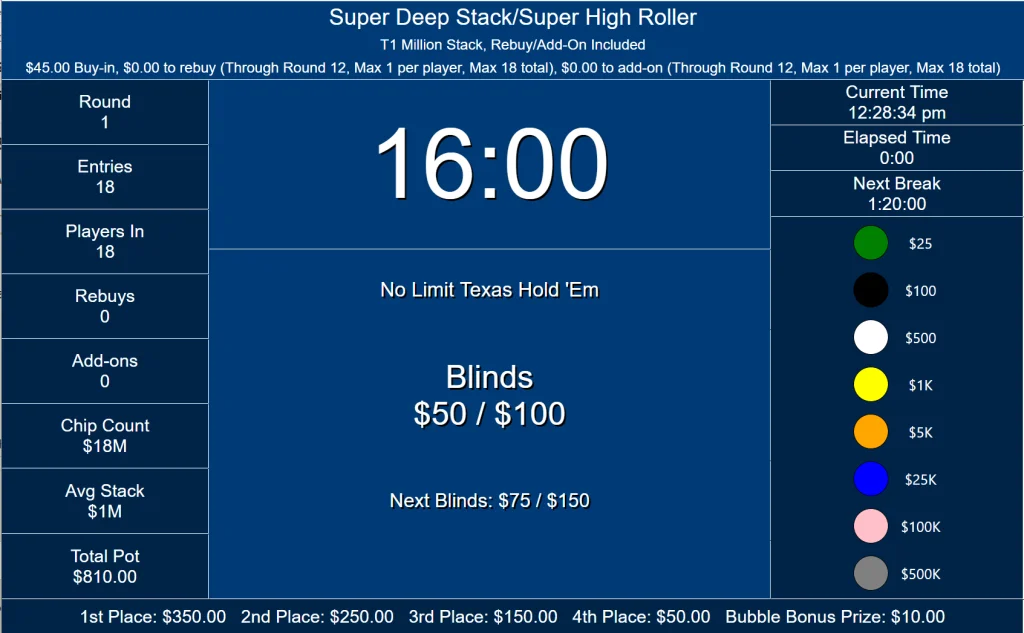
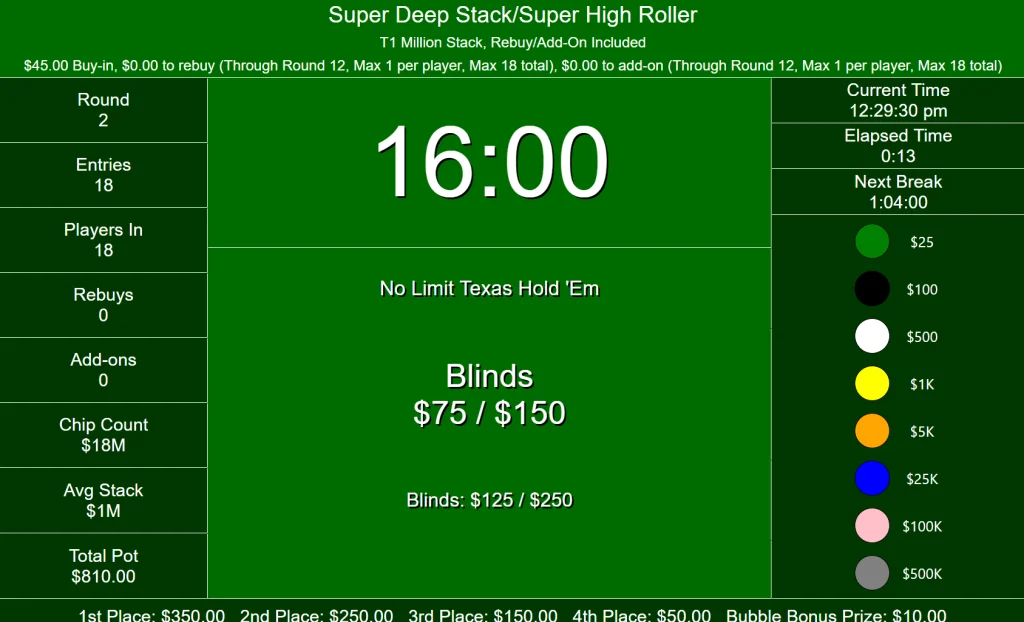
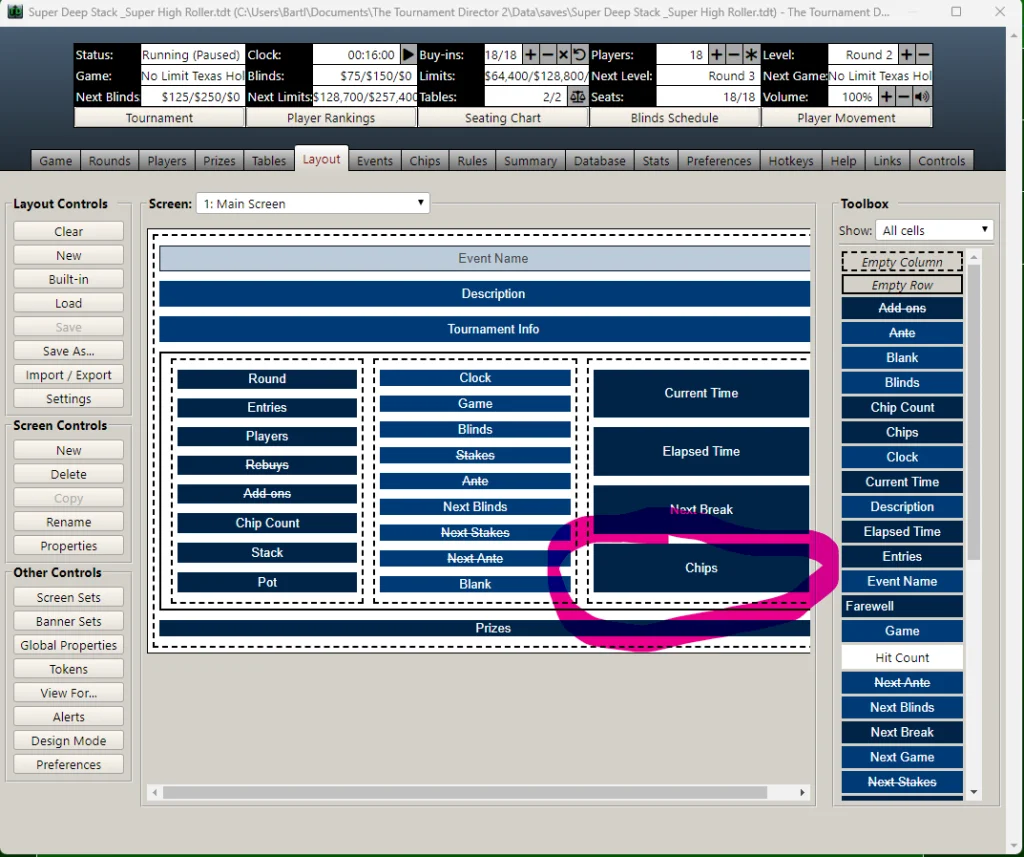
Now I want to do some minor customization of the Tournament Screen. Nothing too fancy, I'm going to keep most of the defaults in place. What I do want to do is to change the "Chips" cell and replace it with a cell of the same dimensions and colors, but with the "Rankings" token instead of "Chips". I want this to take effect after the rebuy period ends (Level 12).
I've played around a bit with this in the Layout tab, including editing or copying the "Chips" cell, but my results end up with a cell that doesn't have a background color, or is a different shape than the original "Chips" cell.
Here are the screens in question:
Odd Levels
Even Levels:
Layout Screen:
Is there someone here that could please explain the process to do this (clearly, thoroughly, step by step)? A video would be awesome, or we could set up a Zoom or Teams session if you are open to that.
Any feedback or direction is most appreciated.
I'm new to running The Tournament Director software. I've figured out most everything about setting up the basics, busting out players, rebuys, blind levels, payouts, etc.
Now I want to do some minor customization of the Tournament Screen. Nothing too fancy, I'm going to keep most of the defaults in place. What I do want to do is to change the "Chips" cell and replace it with a cell of the same dimensions and colors, but with the "Rankings" token instead of "Chips". I want this to take effect after the rebuy period ends (Level 12).
I've played around a bit with this in the Layout tab, including editing or copying the "Chips" cell, but my results end up with a cell that doesn't have a background color, or is a different shape than the original "Chips" cell.
Here are the screens in question:
Odd Levels
Even Levels:
Layout Screen:
Is there someone here that could please explain the process to do this (clearly, thoroughly, step by step)? A video would be awesome, or we could set up a Zoom or Teams session if you are open to that.
Any feedback or direction is most appreciated.


