
-
PCF is an eBay Partner. If you make a purchase through one of our links, we may earn a commission at no extra cost to you. Thank you for your support!
You are using an out of date browser. It may not display this or other websites correctly.
You should upgrade or use an alternative browser.
You should upgrade or use an alternative browser.

Featured Chipmatic Studio (a poker chip design tool) (4 Viewers)
- Thread starter QuietMaple
- Start date

OP
OP

Alas there is no way to reorder at the moment. Planning on adding drag and drop this week. Maybe even tonight!
OP
OP
QuietMaple updated Chipmatic Studio (a poker chip design tool) with a new update entry:
Reorder chip feature, made chip mold stand out, and more
Read the rest of this update entry...
Reorder chip feature, made chip mold stand out, and more
Features:
- Drag and drop chips in the toolbar to reorder them within a set
- Adjusted scene lighting and mold graphics so that mold "pops" a little more
UI:
- Hide advanced text controls behind toggle
- Replace some words on buttons with icons and added tool tips
Chip reordering should be fairly self explanatory, but if not, here's how it works: left click a chip (don't let go), drag your cursor to the location in the line up that you want, and release. Voila: your chips are in a different...
Read the rest of this update entry...

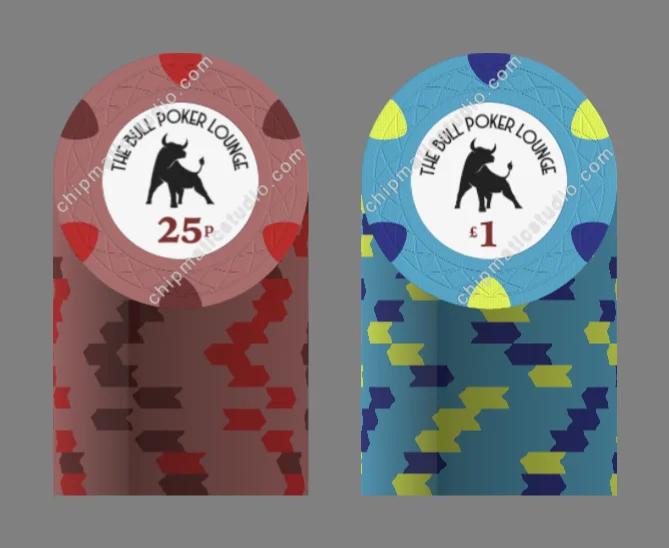
hi there, firstly this tool is amazing so thank you for providing this for others to use. Whilst messing around with it the dirty stack image got this shadow line down the middle - not sure if this is intended. i tried creating a new set and the same thing happened. Reloading the page did fix it - thought i would let you know
Attachments

p0kerch1pf0rumrick
Sitting Out
What an amazing tool. Thank you for sharing it with us. There goes any free time for the next several days......
OP
OP
Interesting. That shadow line is definitely not intended. Thanks for bringing it to my attention. I'll see if I can reproduce that bug in my local dev environment. Perhaps has something to do with some of the lighting resources not loading right...Whilst messing around with it the dirty stack image got this shadow line down the middle - not sure if this is intended.
reloading the page has fixed anything unusual that might have happened - sometimes the screen goes blank but when i reload it opens where i left off so no issue. the blank screen probably happened a few times over the course of the day today as i fiddled with it between working. strangely i didn't get the shadow line except at the start of the day.Interesting. That shadow line is definitely not intended. Thanks for bringing it to my attention. I'll see if I can reproduce that bug in my local dev environment. Perhaps has something to do with some of the lighting resources not loading right...

Deucekies
Two Pair
One suggestion: A way to reorder the layers of spot patterns. Right now, it appears you have to go from bottom to top, so if you want to go back and put something under, you have to start over. Unless I'm missing something.
OP
OP
Yep, you're right. There isn't any way to reorder layers at the moment. That's definitely needed. I might even implement that tonight.
wmcc
Waiting List
Is there a way to resize the inlay image when uploading it? Or does it require a specific dimension prior to uploading?
OP
OP
@wmcc The inlay should be at least 300 px x 300 px, but larger is better (1600 x 1600 is ideal). You can't resize the image in Chipmatic, it will automatically be sized/cropped to fit within the circle. So if you have a large image that you want to use just a portion of, you should first crop that image in a different tool, and upload the cropped result to Chipmatic.
Uploads don't need to be square (Chipmatic will automatically center it), but if you're cropping you might as well make it a square.
Uploads don't need to be square (Chipmatic will automatically center it), but if you're cropping you might as well make it a square.

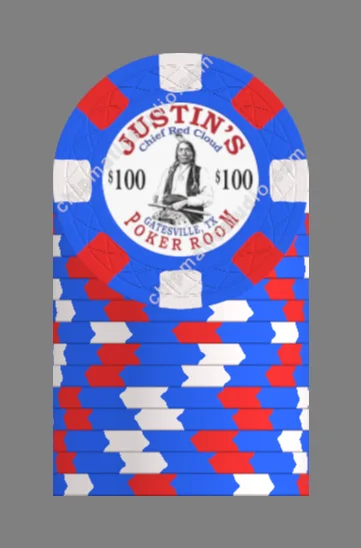
Nice. Took 2 minutes. Still don't have it figured out how to change the spots, etc
wmcc
Waiting List
Easy.@wmcc The inlay should be at least 300 px x 300 px, but larger is better (1600 x 1600 is ideal). You can't resize the image in Chipmatic, it will automatically be sized/cropped to fit within the circle. So if you have a large image that you want to use just a portion of, you should first crop that image in a different tool, and upload the cropped result to Chipmatic.
Uploads don't need to be square (Chipmatic will automatically center it), but if you're cropping you might as well make it a square.
Is the soft proof basically what the final chip colour will look like when shipped out?
OP
OP
I don't know how people learn best, but if anyone would find it useful, I've started writing up some instructions on how to use to tool here: https://chipmaticstudio.com/about#how-it-works
Eventually I hope to record a video or build a "guided tour" feature into the application.
Eventually I hope to record a video or build a "guided tour" feature into the application.
OP
OP
Soft proof is my best estimation of what the colors will look like, but given the communication issues with Tina (the manufacturer), we don't know for certain how they will turn out because to my knowledge she hasn't ever shared a color profile for her equipment with anyone. I've written up a longer explanation here: https://chipmaticstudio.com/about#️-color-accuracy-disclaimerIs the soft proof basically what the final chip colour will look like when shipped out?
Deucekies
Two Pair
Here's an idea that you can put way down at the bottom of your list of suggestions, but as long as you're toying with different edgespot shapes, maybe the ability to add inside shapes like Bud Jones?
JabirHayyan
Waiting List
Very nice tool thanks! Is there an Undo features available?QuietMaple submitted a new resource:
Chipmatic Studio - A tool for creating custon chip designs with parameters (for Tina ceramics, etc.)
Read more about this resource...
OP
OP
Alas, there is no undo feature at the moment. I would like to add it eventually, but it's rather complicated compared to some other features.
OP
OP
QuietMaple updated Chipmatic Studio (a poker chip design tool) with a new update entry:
Added the ability to reorder Spot Pattern layers
Read the rest of this update entry...
Added the ability to reorder Spot Pattern layers
Right now, if you want to create "compound" spot patterns like 4V12 (an 1/8" spot on top of / inside of 1/2" spot), you can do so by adding two "Spot Patterns" to your chip. However, you need to add the base color pattern first, followed by the accent color pattern. This update allows you to reorder your spot patterns after they've been created, which makes the experience much smoother and more flexible.
I've added a "Reorder Spot Patterns" button (only visible once you have two or more...
Read the rest of this update entry...

SeanGecko
4 of a Kind
You're doing great!Alas, there is no undo feature at the moment. I would like to add it eventually, but it's rather complicated compared to some other features.
OP
OP
QuietMaple updated Chipmatic Studio (a poker chip design tool) with a new update entry:
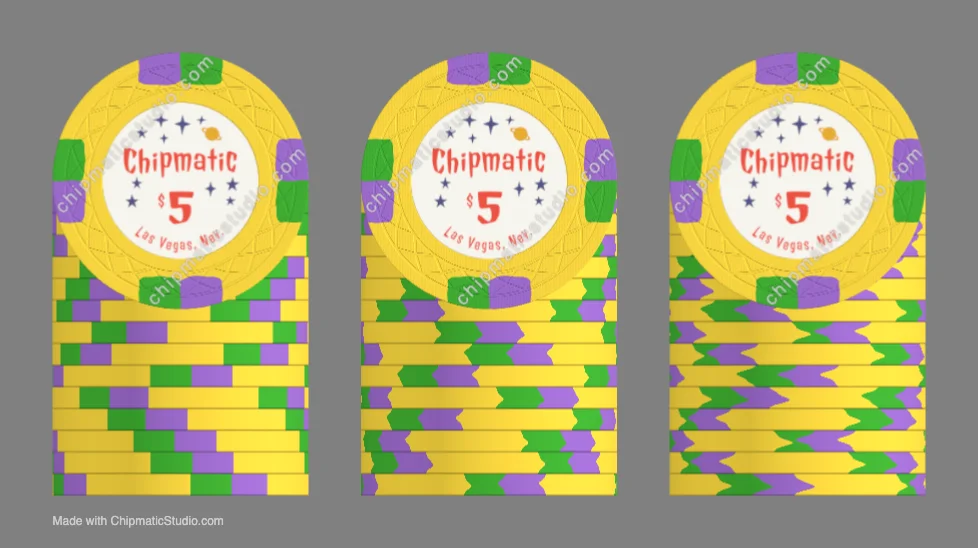
Added controls for edge spot "squish" on the rolling edge
Read the rest of this update entry...
Added controls for edge spot "squish" on the rolling edge
You can now adjust how much distortion you want on the rolling edge/lateral surface of the chips. Some prefer straight lines, and others prefer emulating the distortions that you clay chips have. This picture demonstrates 3 different levels of distortion:
View attachment 1605440
You'll find the controls in the right side toolbar below the spot pattern drop downs. (These controls are per chip as opposed to per Spot Pattern due to some intricacies...
Read the rest of this update entry...
Last edited:
OP
OP
QuietMaple updated Chipmatic Studio (a poker chip design tool) with a new update entry:
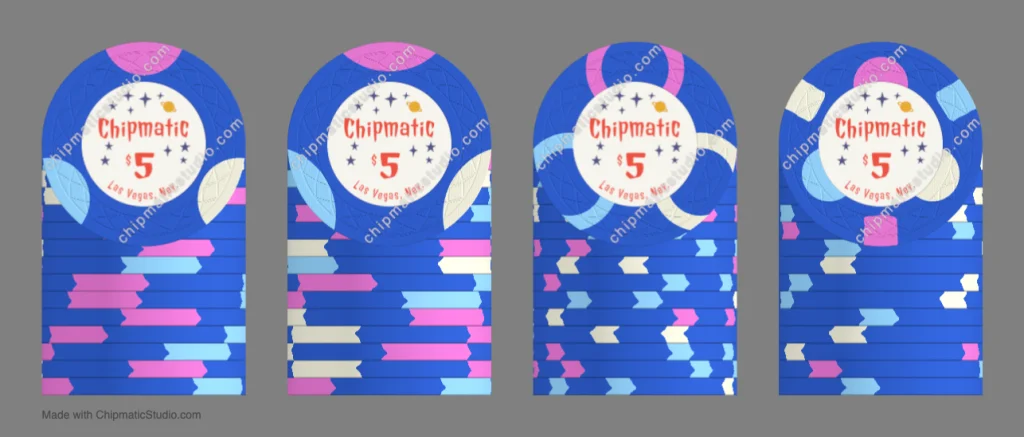
Added "inset" parameter to circle spots
Read the rest of this update entry...
Added "inset" parameter to circle spots
I've added the ability to move circle spots closer or farther from the center of the chip.
Previously, circle spots were always centered exactly on the edge of the chip, but now you can slide the circles away from the center (or closer) for various affects. I think moving the circle slightly away from the chip center is most similar to clay chips.
Read the rest of this update entry...
Last edited:

I love the tool so far! I'm sure it will continue to get better and better as you add updates to it. It seems to be much easier to use on a PC than mobile. I do get a few times when the screen disappears, and I have to adjust a setting to get the pic to come back. Also, if I have uploaded an inlay, I will have to select it again every now and then after my screen goes blank.
Speaking of inlays, is there a way to adjust the size and position of an uploaded inlay like you can do on the CPC and Paulson design tool? My inlays seem like they are a bit smaller than they should be when I upload them but I can't find away to adjust the size. Here is an example I was fooling around with.

Speaking of inlays, is there a way to adjust the size and position of an uploaded inlay like you can do on the CPC and Paulson design tool? My inlays seem like they are a bit smaller than they should be when I upload them but I can't find away to adjust the size. Here is an example I was fooling around with.
ballefrans
Two Pair
Great tool and love the updates that keep coming.
I may be asking too much but the ability to visualize a whole set would be awesome.
Like this:
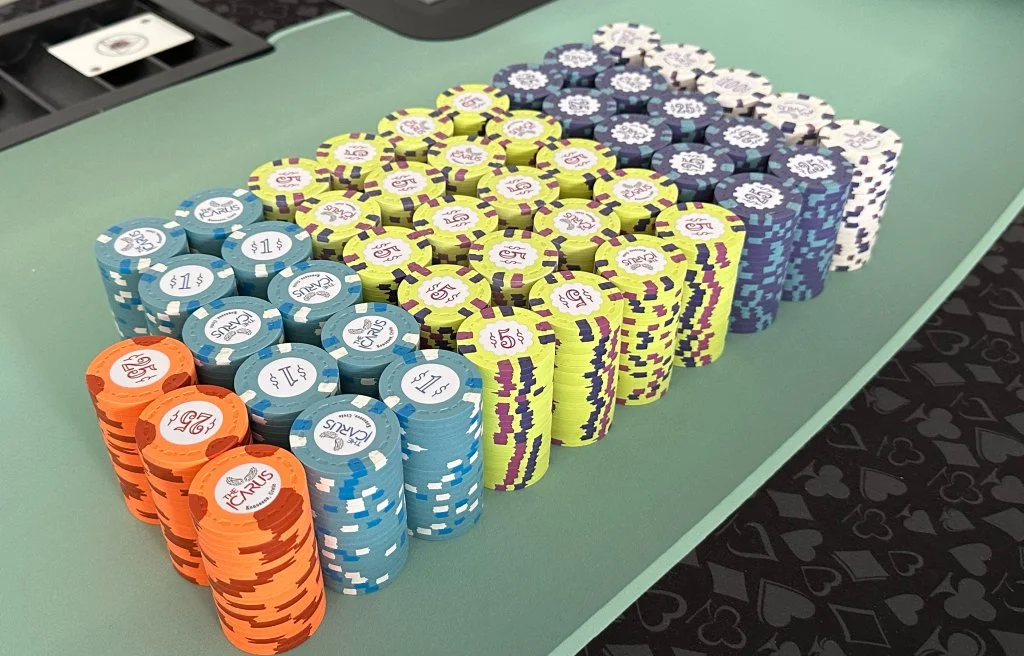
I may be asking too much but the ability to visualize a whole set would be awesome.
Like this:

To add to this, I would like to be able to enter my payment details and have the chip tool make the chips on the spot and airdrop them via drone directly to me. If possible.I may be asking too much but the ability to visualize a whole set would be awesome.

Pre-order your landing pad today!
ballefrans
Two Pair
To add to this, I would like to be able to enter my payment details and have the chip tool make the chips on the spot and airdrop them via drone directly to me. If possible.
So I am guessing this is too much to ask? I have no idea how 3D rendering works
I really don't know, all in jest my friend.So I am guessing this is too much to ask? I have no idea how 3D rendering works

Colquhoun
Straight Flush
As someone that does 3D models and renders, it’s definitely not a ‘push button, get render’ process.So I am guessing this is too much to ask? I have no idea how 3D rendering works
OP
OP
Mobile support is definitely lacking. I have put 0 effort so far in making it a good mobile experience. But, I can see from my metrics that 43% percent of my visitors are on mobile, so it's definitely something I need to address soon!It seems to be much easier to use on a PC than mobile
Hm, thanks for the heads up about this. I need to implement some better instrumentation into the app so that I can be notified about errors like this and receive some data to help me debug. It can be challenging to fix bugs like this that don't manifest on my own computer. I might DM you asking for more help later if you'd be up for it. Additionally, there are probably things I can optimize with the 3D rendering pipeline that will be more friendly on system memory usage which might be causing some of these issues.I do get a few times when the screen disappears, and I have to adjust a setting to get the pic to come back.
@MrBoosh For inlays, what you should do right now is modify the image file itself before upload. I believe what is happening in your example is that the black circle of your inlay is not coming all the way to the edges of the image. So to fix it, you would crop your image so that what you want to appear on the chip fills the entire canvas of the image. Here's an example of what a good inlay upload looks like vs a bad one:is there a way to adjust the size and position of an uploaded inlay like you can do on the CPC and Paulson design tool? My inlays seem like they are a bit smaller than they should be when I upload them but I can't find away to adjust the size.
The perspective view of a whole bunch of stacks on a table like that should actually be do-able from a technical perspective. I'm already using a fully featured 3d graphics library, so it might be as straightforward as constructing the scene appropriately. There might be some performance issues rendering so many chips at once, but at the very least I would be able to render a static image for download/display.I may be asking too much but the ability to visualize a whole set would be awesome.
I want to play around with this and see where I can get, but there are a couple other things I probably want to address first though, like mobile support.
Why didn't anyone say they wanted their chips airdropped sooner!? Send me the coordinates of your PCF landing pad, and your drone will arrive in 30 minutes.I would like to be able to enter my payment details and have the chip tool make the chips on the spot and airdrop them via drone directly to me
p.s. I'm going on vacation next week, so updates will probably slow down then, but don't worry, more will come

Deucekies
Two Pair
Something occurred to me which I would imagine would be an easy add. A "Save as" option would be amazing, allowing us to make several similar sets.
Similar threads


- Locked
- Replies
- 110
- Views
- 8K


- Replies
- 3
- Views
- 398

