Chipmatic Studio (a poker chip design tool)

Featured Chipmatic Studio (a poker chip design tool)

In the initial rollout of Chipmatic Studio, mobile support was a total after thought (or more accurately, I didn't think about it at all!). But 40% of visitors are coming on a mobile device, so I've done a lot of refactoring to make it usable on mobile. I think desktop is still a better experience, but mobile is way better than it was before. This is what the mobile UI looks like now:

Screen Shot 2025-12-25 at 18.24.22.webp
I've added the ability to move circle spots closer or farther from the center of the chip.

Previously, circle spots were always centered exactly on the edge of the chip, but now you can slide the circles away from the center (or closer) for various affects. I think moving the circles slightly away from the chip center is most similar to clay chips.

chip_gallery(1).webp
You can now adjust how much distortion you want on the rolling edge/lateral surface of the chips. Some prefer straight lines, and others prefer emulating the distortions that you clay chips have. This picture demonstrates 3 different levels of distortion:
chip_gallery(5).webp


You'll find the controls in the right side toolbar below the spot pattern drop downs. (These controls are per chip as opposed to per Spot Pattern due to some intricacies with how edge spot distortion works when edge spots from two different patterns overlap)
Right now, if you want to create "compound" spot patterns like 4V12 (an 1/8" spot on top of / inside of 1/2" spot), you can do so by adding two "Spot Patterns" to your chip. However, you need to add the base color pattern first, followed by the accent color pattern. This update allows you to reorder your spot patterns after they've been created, which makes the experience much smoother and more flexible.

I've added a "Reorder Spot Patterns" button (only visible once you have two or more patterns on a chip). Once clicked, you enter a drag-and-drop reorder mode. Click "Finish Reordering" when you're done to go back to normal edit mode.

Screenshot 2025-12-10 at 9.52.28 PM.webp
  • Like
Reactions: dmcl924
  • Features:
    • Drag and drop chips in the toolbar to reorder them within a set
    • Adjusted scene lighting and mold graphics so that mold "pops" a little more
  • UI:
    • Hide advanced text controls behind toggle
    • Replace some words on buttons with icons and added tool tips

Chip reordering should be fairly self explanatory, but if not, here's how it works: left click a chip (don't let go), drag your cursor to the location in the line up that you want, and release. Voila: your chips are in a different order.

Attachments

  • Screenshot 2025-12-08 at 10.35.29 PM.webp
    Screenshot 2025-12-08 at 10.35.29 PM.webp
    10.5 KB · Views: 117
  • Like
Reactions: dmcl924
I've made a couple small updates since the initial release. Check them out:
  • Features:
    • Added a "Gallery Image" download which will show all stacks in the set lined up next to each other
    • Added a "Clone Chip" Button
    • Added an About page with some documentation about how to use the toll and disclaimers about colors.
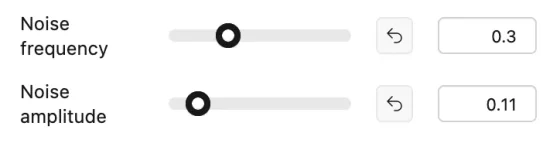
    • Added ability to reset distortion sliders to their default values (either by clicking arrow button or double clicking the slider)
  • UI:
    • Changed behavior of "Remove Chip" so that the first chip in the set is not selected by default after deleting a chip (instead the selection will stay in the same spot in the line up)
    • Increase chip selection ring size

Attachments

  • Screenshot 2025-12-06 at 8.07.37 PM.webp
    Screenshot 2025-12-06 at 8.07.37 PM.webp
    9.8 KB · Views: 116
  • Screenshot 2025-12-06 at 8.07.50 PM.webp
    Screenshot 2025-12-06 at 8.07.50 PM.webp
    5.2 KB · Views: 124
  • Screenshot 2025-12-06 at 8.08.08 PM.webp
    Screenshot 2025-12-06 at 8.08.08 PM.webp
    2.2 KB · Views: 116
  • Like
Reactions: dmcl924
Back
Top Bottom