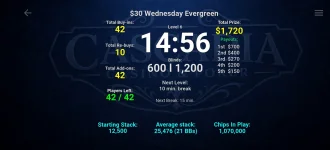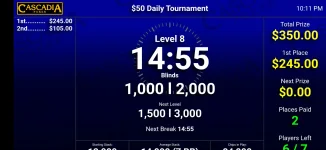
Poker Club HQ

Featured Poker Club HQ (17 Viewers) 5.0.0

No permission to download
New release of Poker Club HQ, version 5.0.0+428:

• New Club Stats dashboard for a season of tournaments in a folder: points leaderboard, season points chart, and money and attendance stats
• Simulate can now create a whole season of sample tournaments so you can try out Club Stats
• Faster, smoother timer screen that uses less power
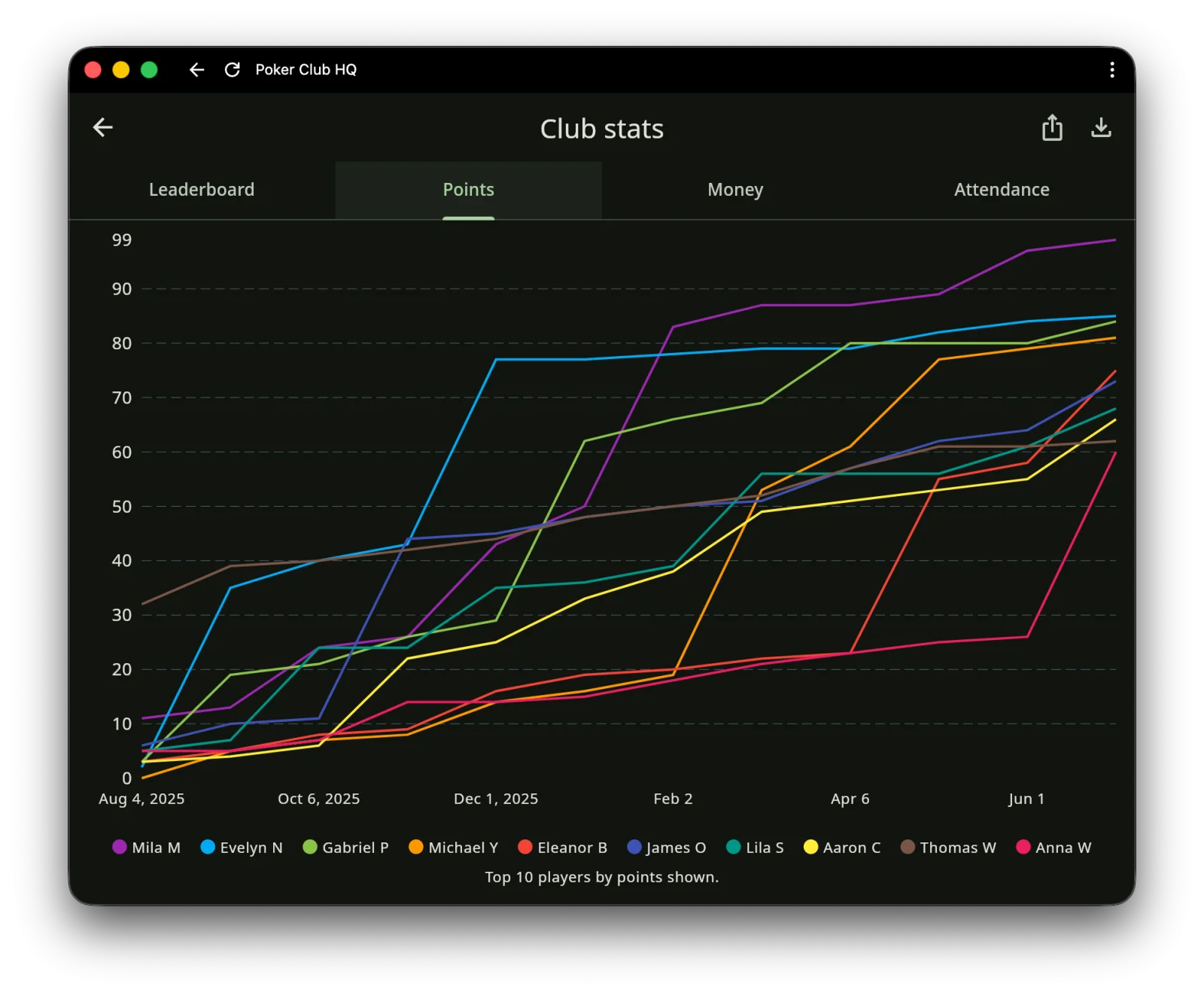
club-stats-00003.webp

club-stats-00004.webp
 
New release of Poker Club HQ, version 5.0.0+428:

• New Club Stats dashboard for a season of tournaments in a folder: points leaderboard, season points chart, and money and attendance stats
• Simulate can now create a whole season of sample tournaments so you can try out Club Stats
• Faster, smoother timer screen that uses less power
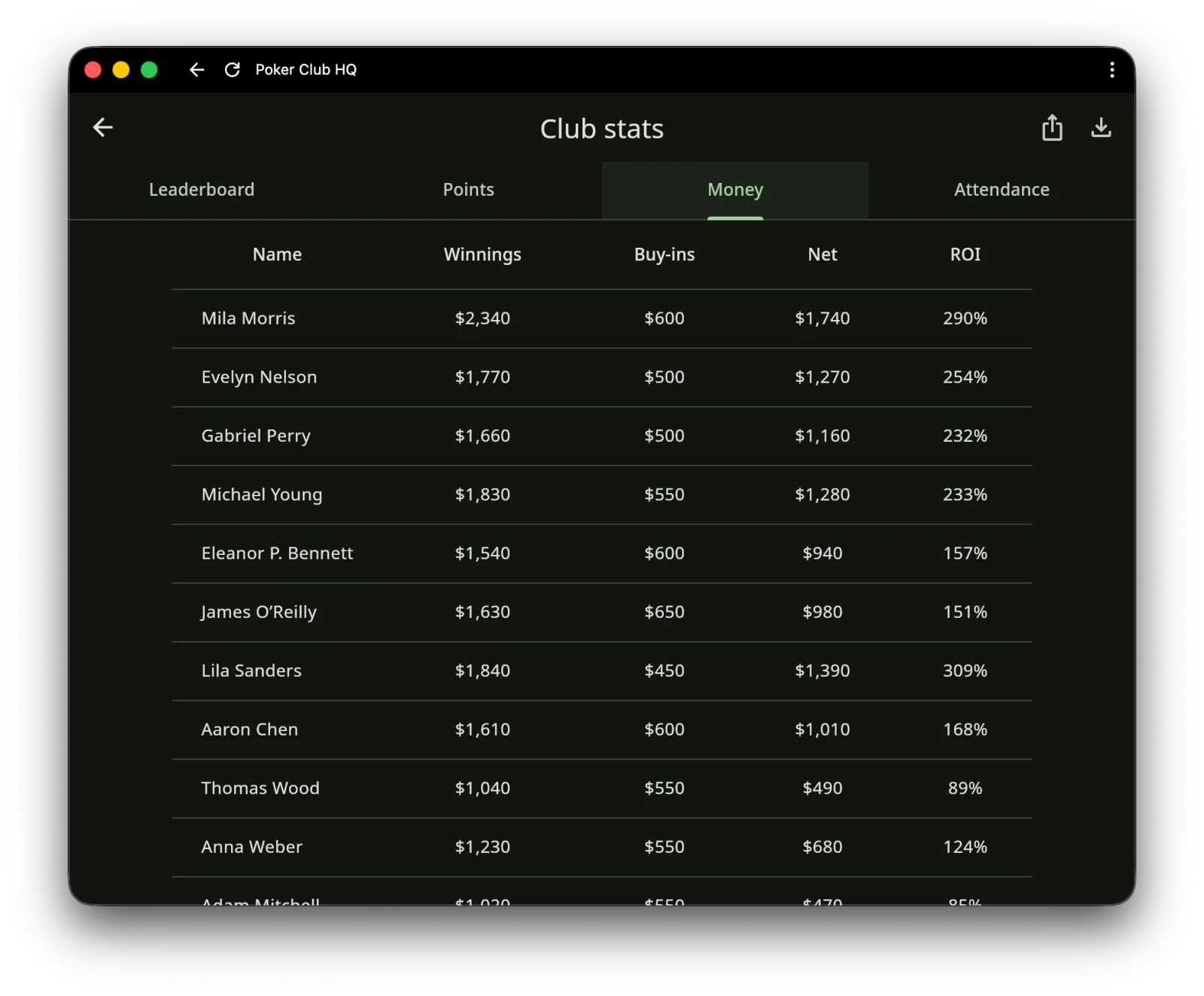
View attachment 1699324
View attachment 1699326
Finally got it updated and added my league's prior tournaments into a folder to see what information it would put together for me and the result was fantastic. This is an awesome update!! Great work Ron. Keep it up.
 
Last edited:
New release of Poker Club HQ, version 5.0.0+431:

• New Player Directory: browse all your players in one place, with details, sorting, and each player’s tournament history
• Add contact info to players: nickname, email, address, and phone
• Import and export players as CSV files, including imports from Tournament Director
• Merge duplicate players or remove players you no longer need
• Fixed folders jumping to the top of the list after syncing across devices

For details about the new Player Directory feature look here: https://pokerclubhq.github.io/info/player-directory/
 
New release of Poker Club HQ, version 5.0.0+434:

• Player Directory: organize players into groups — filter by group, add players to a group in bulk, and add a whole group to a tournament at once
• Stats: choose which columns are shown and drag to reorder them
• New Bounties timer widget shows the top bounty winners on the payouts screen
• Create a new tournament by copying the settings of an existing one
 
New release of Poker Club HQ, version 5.0.0+435:

• Upload player photos and they'll appear throughout — on table seats, in the Player Directory, and more
• Share a tournament and your players can update their own profile from their device
• Payouts are now fully scriptable — amounts and even the number of paid places can react to the tournament automatically
• Start typing a player's name and the app suggests matching players from your directory
• Smoother drag-and-drop seating, now with haptic feedback

timer02.webp
 
I saw that you added chip counts as as a thing that can be updated, but I haven't tried it out yet. I'm curious if a player can update their own chip stack and if there is a way to display a standings of those chip counts...
 
Wow, have been playing around with all the upgrades and this app is just incredible. Every time I think it cannot get better a new version with more bells and whistles just raises the bar even higher. Fantastic work Ron.
 
I saw that you added chip counts as as a thing that can be updated, but I haven't tried it out yet. I'm curious if a player can update their own chip stack and if there is a way to display a standings of those chip counts...

Yes, in the latest version (5.0.0+437), player's can update their own chip stack, details here: https://pokerclubhq.github.io/info/player-updates/

And yes, there is a new optional "Chip leader" widget you can add to the timer screen:

Screenshot 2026-07-18 at 5.55.40 PM.webp


Or you could always roll your own widget to show, for example, the top 5 chip leaders.
 
Just getting around to trying this software. Like what I see!

One thing I noticed: It considers breaks to be levels when numbering them. So if my timer screen shows the level numbers, Level 4 is followed by Level 6 because there's a break between them. Is there a way to make LevelIndex ignore breaks?
 
Just getting around to trying this software. Like what I see!

One thing I noticed: It considers breaks to be levels when numbering them. So if my timer screen shows the level numbers, Level 4 is followed by Level 6 because there's a break between them. Is there a way to make LevelIndex ignore breaks?
In screen content add a new content script. Should end up looking like this

IMG_2246.webp
 
Last edited:
Don’t know why it copied/pasted in italics but don’t italicize…
 
I tried to shorten it down but yes it looks like when i paste it is removing “I”s from the script
IMG_6948.webp
 
Last edited:
Sent you a dm with the script, does not look like the DM version converts the two bracketed “i”s to italicize words and does not remove them from the script.
 
Just getting around to trying this software. Like what I see!

One thing I noticed: It considers breaks to be levels when numbering them. So if my timer screen shows the level numbers, Level 4 is followed by Level 6 because there's a break between them. Is there a way to make LevelIndex ignore breaks?

Thanks, glad you're liking it!

You're right that levelIndex counts every level, breaks included. There's no setting to change that, but the level number on the timer is editable content, so you can make it count blind levels only.

Go to the timer screen → Show… → Screen contents → select the cell showing the level number → Manage content → edit the item named level number, and set its Value to:

Code:
Level {{ levels.take(levelIndex + 1).where(func(l) { l.isBlindLevel }).count }} of {{ levels.where(func(l) { l.isBlindLevel }).count }}

Now a break between Level 4 and Level 5 won't consume a number.

One note: during a break the number holds at the level you just finished. If you'd rather hide it on breaks, set that item's Condition to currentLevel.isBlindLevel.

More on editing timer content here: https://pokerclubhq.github.io/info/timer-display/

I'm looking at adding a built-in variable for this so it isn't a hand-written expression — thanks for the nudge.

Ron
 
Quick follow-up for anyone who hit the error on this:

@Tonysquander's script is correct. I tested it against the real tournament model and it gives identical results to the shorter version at every level, on structures from 5 up to 75 levels. Nothing wrong with it.

The problem is the forum, not the script. It uses the letter i wrapped in square brackets as an italics tag, so this part:

Code:
levels[i].isBreakLevel

gets posted as levels.isBreakLevel and the index is silently swallowed. That's the error @Deucekies was seeing, and re-typing it doesn't help because it gets eaten again on the next post. Wrapping the script in a CODE block (or sending it by DM, as Tony did) preserves it.

If you'd rather avoid the issue entirely, this version has no square brackets, so it survives a copy/paste here:

Code:
Level {{ levels.take(levelIndex + 1).where(func(l) { l.isBlindLevel }).count }} of {{ levels.where(func(l) { l.isBlindLevel }).count }}

Set the Condition to isBlindsLevel@Tonysquander's choice, and the right one‚ and the cell hides itself during breaks instead of holding at the previous number.

Thanks for digging into this, @Tonysquander!

Ron
 
New release of Poker Club HQ, version 5.0.0+438:

• New player roles: make anyone in your Player Directory a Player, Table Captain, or Director
• Table Captains can record buy-ins, knockouts, seating, and chip counts, with the clock left read-only
• Roles are set once and apply to every tournament, and travel in your player CSV
• Timer level numbers no longer skip after a break
• Fixes: deleted log entries stay deleted on a second device, and the clock warning shows the drift

That fourth one came straight from this thread — thanks @Deucekies for the suggestion, and @Tonysquander for working out a fix before I got to it. There are now two built-in values, blindLevelNumber and blindLevelCount, so the "level number" content is simply:

Code:
Level {{ blindLevelNumber }} of {{ blindLevelCount }}

More here: https://pokerclubhq.github.io/info/timer-display/#level-numbers-and-breaks

We're getting close to leaving beta and releasing the new app. If there's anything you still want changed or added, now's the time to say so — and thanks for all the suggestions, bug reports, and feedback over the past year!
 
Here's a suggestion: Let us define the rebuy period in a tournament. I would use that to have a countdown timer for the rebuy period, and have the payouts appear once the rebuy period is over.
@Deucekies, good suggestion. Here's what I'm thinking, and there's one thing I'd like opinions on.

I'll add an additional setting under Rebuys/reentries that let's you pick the level rebuys end after:

Rebuys end after: Level 4 (200/400) (default: No limit)

Once the app knows when rebuys close, the timer screen and payout scripts get rebuysOpen, secondsUntilRebuysEnd, and rebuyEndLevelNumber. That covers both your asks: the countdown becomes an optional timer widget like Bounties or Chip leader, and payouts appearing after the period is just a "show when" condition of !rebuysOpen.

No separate add-on level, since the add-on is nearly always at the break ending the rebuy period, so it comes off the same setting. Say so if that's wrong for your game.

The question: when the period ends, should the app stop you from recording a rebuy, or just tell you it's over and let you do it?

My instinct is warn, not block. Every director I know has let someone rebuy who busted a minute late, and blocking means an override, which means another setting. But if you'd rather it be strict, I'd like to hear it, especially from anyone whose league treats the cutoff as a rule.
 
@Deucekies, good suggestion. Here's what I'm thinking, and there's one thing I'd like opinions on.

I'll add an additional setting under Rebuys/reentries that let's you pick the level rebuys end after:


Once the app knows when rebuys close, the timer screen and payout scripts get rebuysOpen, secondsUntilRebuysEnd, and rebuyEndLevelNumber. That covers both your asks: the countdown becomes an optional timer widget like Bounties or Chip leader, and payouts appearing after the period is just a "show when" condition of !rebuysOpen.
Absolutely perfect. Is there a way to do a MM:SS clock instead of seconds/60?
Never mind, I answered my own question by looking at the main timer code.

{{ (whatevertimeryoureusing * 1000).toCompactTimeDurationString }}
No separate add-on level, since the add-on is nearly always at the break ending the rebuy period, so it comes off the same setting. Say so if that's wrong for your game.
Agreed. Addons from my experience are either at the start of the game, or part and parcel with the rebuy period. No need for a second period.
The question: when the period ends, should the app stop you from recording a rebuy, or just tell you it's over and let you do it?

My instinct is warn, not block. Every director I know has let someone rebuy who busted a minute late, and blocking means an override, which means another setting. But if you'd rather it be strict, I'd like to hear it, especially from anyone whose league treats the cutoff as a rule.
I'm with you. Never block the TD from doing anything IMO. Maybe don't even need a warning. Just leave the rebuy abilities as they are. If the cutoff is a hard and fast rule in someone's league, the TD can treat it as such.
 
Last edited:
One more idea, and only if it's easy. In the screen contents, I'd love the ability to add margins/padding to individual sides of a row or column, not just all sides.

Here's my clock for reference, and my UHT clock. I'd love the ability to widen the center column where the clock is, without pushing the title and chip information out as well.
 

Attachments

  • 1000034951.webp
    1000034951.webp
    63 KB · Views: 8
  • 1000033447.webp
    1000033447.webp
    67.8 KB · Views: 8
Last edited:
One more idea, and only if it's easy. In the screen contents, I'd love the ability to add margins/padding to individual sides of a row or column, not just all sides.

Here's my clock for reference, and my UHT clock. I'd love the ability to widen the center column where the clock is, without pushing the title and chip information out as well.
Shouldn't be to difficult. I've added this to my to do list.
 
Would love to see other peoples set ups/widgets for inspiration to improve my own.

This is what I am currently running with. I like to have the clock fairly large so everyone can see it clearly regardless of where they are in the room. The payouts/points/buyins on this one automatically adjust as additional rebuys are made.

1784644496263.webp
 

Create an account or login to comment

You must be a member in order to leave a comment

Create account

Create an account and join our community. It's easy!

Log in

Already have an account? Log in here.

Back
Top Bottom