Deckmate 1 Guide (5 Viewers)

i have touched base with Mouser. I think he said they would be on back order and may take a while but have not heard any kind e-mail that indicate they are coming. I don't know how long its been but seem like maybe a month to 6 weeks. so i guess I'll wait a little longer.

good to hear you have roller kits
I ordered one from them about a month ago just because mine was a little dim. Came quick and easy to install
 
It was like 117 i think when I first purchased it. I'm so glad this has helped more than one person with this VFD source. One day Mouser will get the picture and keep several of these on hand.

Fun fact I moved down the street from Mouser 10 months ago and I have yet to do a Will call order where you pick up an order in person.

Maybe I should have a word with whoever is in charge of stock to tell them this product needs to stay in stock.
 
Awesome Tariffs GIF by Jeopardy!


Could be worst....
 
Hello deckmate enthusiasts. I have been having an issue the last few times I have used the shuffler but last night something else showed up. I am sharing a video to see what you guys think. The first issue was upon start up it was saying the door was not closed. It would clear up after powering on and off a couple of times. Then it would be fine for the rest of the night. I always run the auto setup before each game. We play about once or twice a month.

Last night it started having another issue. It appears to jam or have a feed issue. Then it started making a noise. The noise appears to be coming from the grippers or gripper motor. It seems like it is pulsating.

Hopefully the video works. Let me know your thoughts.

Deckmate video
 
Hello deckmate enthusiasts. I have been having an issue the last few times I have used the shuffler but last night something else showed up. I am sharing a video to see what you guys think. The first issue was upon start up it was saying the door was not closed. It would clear up after powering on and off a couple of times. Then it would be fine for the rest of the night. I always run the auto setup before each game. We play about once or twice a month.

Last night it started having another issue. It appears to jam or have a feed issue. Then it started making a noise. The noise appears to be coming from the grippers or gripper motor. It seems like it is pulsating.

Hopefully the video works. Let me know your thoughts.

Deckmate video
Snakeeyes has my direct line so we will work to resolve this together.

On a side note

I just finished @BostnMike DM2 today and was a simple as a missing screw and roller. So if anyone has this future error of "Error can't home shuffler Card Weight Error" check the flapper part that flaps down onto the cards.
 
The new batch of wires I made, run 30 each shipped. Please DM the qty and your info.
 
Tonight was my first time playing in a major card room since I bought the DM1. Naturally I walked around the room while waiting for a seat and checked out what they were using. I was surprised to see at least half of the machines in the tables at Borgata’s massive poker room were DM1’s!

When I was sat down, my table had a DM2. They had just opened the table and within the the first 20 mins the DM2 broke down making a crazy thumping noise. The floor manager was called over and they replaced it with a DM1. I noticed all the DM1s in the room had the adapter to make them fit…indicating to me a lot of DM2s must have been removed.

I asked the dealer if they have issues with the newer version. She said “the new ones (DM2s) go down constantly!😳

The DM1 functioned the rest of the night ….but did make a horrible grinding noise. Mine sounds MUCH nicer 😂

In the end it was good to see that the DM1 is still heavily used in one of the largest card room in the US. It was also a good night for $1/3. +$625 in 4 hours of play!

PS- a locked cover would add a nice authentic touch to my home table 😉….joking…maybe…


IMG_0272.webp
IMG_0270.webp
IMG_0273.webp
 
Last edited:
I seen that mount once before in a quick video. It's like the one thing I can't seem to find for my table. One of these days I'll draw it up in cad...
 
I seen that mount once before in a quick video. It's like the one thing I can't seem to find for my table. One of these days I'll draw it up in cad...
You mean the cover or the adapter mount? The adapter mount is kind of an impediment as it sticks up about 1/4” above the felt. The dealers seemed to struggle with it as you can’t slide cards or chips over top.
 
You mean the cover or the adapter mount? The adapter mount is kind of an impediment as it sticks up about 1/4” above the felt. The dealers seemed to struggle with it as you can’t slide cards or chips over top.

The adapter mount. This sticking high up also has to do with foam thickness too but it's understandable if the thickness of the adapter mount is thick thick as it's got to support 20 lbs. I dont think a plastic 3d printed mount would work. I just want the interchangeable option to go back and forth between dm1 and 2.
 
The adapter mount. This sticking high up also has to do with foam thickness too but it's understandable if the thickness of the adapter mount is thick thick as it's got to support 20 lbs. I dont think a plastic 3d printed mount would work. I just want the interchangeable option to go back and forth between dm1 and 2.
First world problems! 😉
 
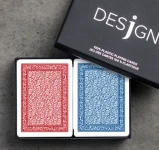
Not sure if this has been answered somewhere in this thread, but I have a question regarding desjgn cards. I have had a Deckmate 1 that has been working flawlessly for the past 3 years. Generally speaking I only use Copaq cards. Anytime we have tried to change the type of cards we use (even different designs within the same Copag family), initially, in the first round or two, the shuffler damages one or two cards, I change them, and for the rest of teh night it works great. We only use Bridge size.

I recently recieved a big shipment of desjgn cards and I don't want to damage too many of the cards. The first 3-4 x we tried to use them in the Deckmate, it did exactly as it does with other 'new' types of cards: damaged one or two cards during the first couple of rounds. But, with the desjgn cards, even later at night, it keeps recalibrating and sometimes we had to turn the machine on and off and is started to give some funky errors, etc. Is there e quick and better way of recalibrating before the game and before using the new cards in a live game?

 
Not sure if this has been answered somewhere in this thread, but I have a question regarding desjgn cards. I have had a Deckmate 1 that has been working flawlessly for the past 3 years. Generally speaking I only use Copaq cards. Anytime we have tried to change the type of cards we use (even different designs within the same Copag family), initially, in the first round or two, the shuffler damages one or two cards, I change them, and for the rest of teh night it works great. We only use Bridge size.

I recently recieved a big shipment of desjgn cards and I don't want to damage too many of the cards. The first 3-4 x we tried to use them in the Deckmate, it did exactly as it does with other 'new' types of cards: damaged one or two cards during the first couple of rounds. But, with the desjgn cards, even later at night, it keeps recalibrating and sometimes we had to turn the machine on and off and is started to give some funky errors, etc. Is there e quick and better way of recalibrating before the game and before using the new cards in a live game?

If it's damaging card it's probably pulling into many cards at a time. Are you adjusting the card height everytime you switch to different brands?
 
Not sure if this has been answered somewhere in this thread, but I have a question regarding desjgn cards. I have had a Deckmate 1 that has been working flawlessly for the past 3 years. Generally speaking I only use Copaq cards. Anytime we have tried to change the type of cards we use (even different designs within the same Copag family), initially, in the first round or two, the shuffler damages one or two cards, I change them, and for the rest of teh night it works great. We only use Bridge size.

I recently recieved a big shipment of desjgn cards and I don't want to damage too many of the cards. The first 3-4 x we tried to use them in the Deckmate, it did exactly as it does with other 'new' types of cards: damaged one or two cards during the first couple of rounds. But, with the desjgn cards, even later at night, it keeps recalibrating and sometimes we had to turn the machine on and off and is started to give some funky errors, etc. Is there e quick and better way of recalibrating before the game and before using the new cards in a live game?
Did you happen to get this error with the Desjgn cards? I tried to auto setup with them and I was getting an error. Ended up switching back to the Arrow setup.

IMG_5854.webp
IMG_5853.webp
 
Desjgns work fine with mine. Exactly which Desjgns are you using? Every version he comes out with his different stock
The latest version. Could have just been a hiccup with the machine. Not saying it was all the cards
 
Shoutout to minedelta for hooking me up with the proper cable and the instructions for replacing it. I had the tie down in mine, so it was a little trickier, but there were instructions for that too. Thanks so much to everyone on this forum making the information easily available.
 
If it's damaging card it's probably pulling into many cards at a time. Are you adjusting the card height everytime you switch to different brands?
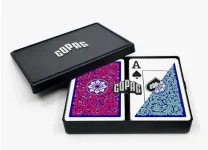
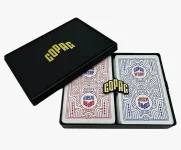
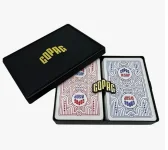
I have never done any adjustment at all. more than 95% of the time we use Copag cards. I always assumed they are the same or very similar in thickness, but there might be slight difference in texture. And assumed that the machine automatiocally detects and caliberates based on new cards we put in. These are rhe various cards we use:

Screenshot 2026-07-02 at 10.29.37 AM.webp Screenshot 2026-07-02 at 10.29.46 AM.webpScreenshot 2026-07-02 at 10.29.52 AM.webpScreenshot 2026-07-02 at 10.30.08 AM.webpScreenshot 2026-07-02 at 10.30.18 AM.webp

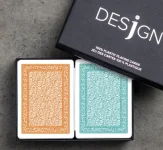
And then tried to use the new Desjn cards:

Screenshot 2026-07-02 at 10.33.23 AM.webp. Screenshot 2026-07-02 at 10.33.31 AM.webp

Did you happen to get this error with the Desjgn cards? I tried to auto setup with them and I was getting an error. Ended up switching back to the Arrow setup.

View attachment 1696079View attachment 1696080

I don't remember the exact errors we were getting. My dealers used to work at a local casino and they are very familiar with the day-to-day working of these machines, They turn the machine on and off a couple of times, and a few cards end up getting damaged, but then everything starts working well again.
 
I have never done any adjustment at all. more than 95% of the time we use Copag cards. I always assumed they are the same or very similar in thickness, but there might be slight difference in texture. And assumed that the machine automatiocally detects and caliberates based on new cards we put in. These are rhe various cards we use:

View attachment 1697976 View attachment 1697977View attachment 1697978View attachment 1697979View attachment 1697980

And then tried to use the new Desjn cards:

View attachment 1697981. View attachment 1697982


I don't remember the exact errors we were getting. My dealers used to work at a local casino and they are very familiar with the day-to-day working of these machines, They turn the machine on and off a couple of times, and a few cards end up getting damaged, but then everything starts working well again.
I would always adjust thickness and do an auto setup before any game. If you never done it before, I posted a video on the first page towards the bottom of my guide.

The machine is more mechanical and requires manual adjustment for card height. Even the DM2 has a card height roller but not as picky as the DM1. The auto setup portion is mainly for the gripper calibration.
 
I would always adjust thickness and do an auto setup before any game. If you never done it before, I posted a video on the first page towards the bottom of my guide.

The machine is more mechanical and requires manual adjustment for card height. Even the DM2 has a card height roller but not as picky as the DM1. The auto setup portion is mainly for the gripper calibration.
TY TY. Will try that next.
 

Create an account or login to comment

You must be a member in order to leave a comment

Create account

Create an account and join our community. It's easy!

Log in

Already have an account? Log in here.

Back
Top Bottom