OP
OP

minedelta
Flush
Running like a dream



Replacement gripper assembly mounting screws for anyone looking. This appears to be an exact match on the DM1:
6-32 x 3/4 for the 2 gripper mounting screws
View attachment 1675056
View attachment 1675057
@justsomedude This is great information! So appreciated!
To remove the grippers to check the belt and the pins, do you just need to remove the two gripper assembly mounting screws that you highlighted in this picture? Or do you have to take more apart? It sort of looks to me like there might be more to it. Any help you can provide would be great, thanks.
I have taken these off the gliding rail before. I highly recommend not to. They work off of severally small ball bearings and as soon as you release it it's very difficult to put it back together.
View attachment 1676985

Ok good. I noticed the cracking the other night when I was adjusting it for a new deckNope, you will be fine
I’ve had this come up a few times….usually after adjusted for new deck and did an auto setup.@minedelta I don't suppose you know why upon boot sometimes, it's stuck at "Push GREEN Button 4 Times". I know it resets the RNG but I never triggered it via setup menu. It just happens sometimes.
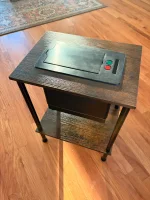
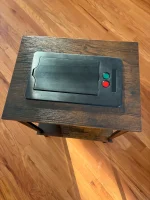

Hi there, wondering if you can help with a DeckMate 2. see the error below. I'm based in NC and trying to find a tech that would help me avoid shipping the unit.The bios battery could be giving out. The shuffler will work just fine with out it but the time and RNG just gets reset every boot. This is what it looks like and if you ever wanted to change it out. it may require soldering. I have never changed this out before t
Without looking at it could be a couple of issues with either the home hall sensor could be bad or needs to be clean or aligned or maybe even the decoder needs to be cleaned or changed out. Let me check with some friends to see what they say.Hi there, wondering if you can help with a DeckMate 2. see the error below. I'm based in NC and trying to find a tech that would help me avoid shipping the unit.
"That’s the card weight maybe weak magnet or bad sensor." So kind of the same answer as me.Hi there, wondering if you can help with a DeckMate 2. see the error below. I'm based in NC and trying to find a tech that would help me avoid shipping the unit.
The card weight tries to move flutters for a moment, and then I get the error. I took the skirt off, and after trying the touch screen button a few times, it fired again for a couple of shuffles. I went to switch it back to sort, but the error came back, along with a bad sensor error...Without looking at it could be a couple of issues with either the home hall sensor could be bad or needs to be clean or aligned or maybe even the decoder needs to be cleaned or changed out. Let me check with some friends to see what they say.
Looks like your still new here. Got to make a few post before you can pm people. Or join to be a member here.The card weight tries to move flutters for a moment, and then I get the error. I took the skirt off, and after trying the touch screen button a few times, it fired again for a couple of shuffles. I went to switch it back to sort, but the error came back, along with a bad sensor error...
Yeah, just joined today. I'm waiting for the system to update, I think. unless they have to be 3 separate posts and not replies ot a single thread.Looks like your still new here. Got to make a few post before you can pm people. Or join to be a member here.
It's not always possible to know the exact problem with out running some test like having a second dm2 to swap parts out. You will eventually have to send to someone if you cant pinpoint the exact problem or if you do have a friend with a dm2 i would start there.
No one I know in NC. Maybe NY, FL, NV, CA and this one guy in Texas who could look at it (me).
Shipping it will be find if you want to be extra cautious I would use the expandable foam packs you can get from amazon. The only thing thst can be thrown off if the card height during shipping but if you know how to do that on a dm2 you should be fine.
I had someone recently send me 2 if their dm2s and it was just super bubble wrapped and no issues getting it back and forth. I would even double up and use a dense foam in addition to everything else.