
Spacehawk
High Hand
this is so cool!



The lager label size of the smooth chip has me interested. What are your thoughts on them? Do they stack well, look good in person? Where do they rank in your favorites?Best to throw up some pictures rather than I try and describe it
View attachment 1603479View attachment 1603480View attachment 1603481View attachment 1603482View attachment 1603483
View attachment 1603484
View attachment 1603490View attachment 1603492View attachment 1603493
I don't have any action shots of the Jester mold or Sun Mold
Added one not currently public mold

Amazing program! Playing open this convinced me I need a new Tina set!. Has anyone printed from the soft proof feature to see how accurate the color is? I’m purposely playing with slightly brighter colors than I prefer as I’m worried it will print dark. My first and only Tina set printed a little dark (even the label)

Sent a dmThe lager label size of the smooth chip has me interested. What are your thoughts on them? Do they stack well, look good in person? Where do they rank in your favorites?

The people want to know!Sent a dm

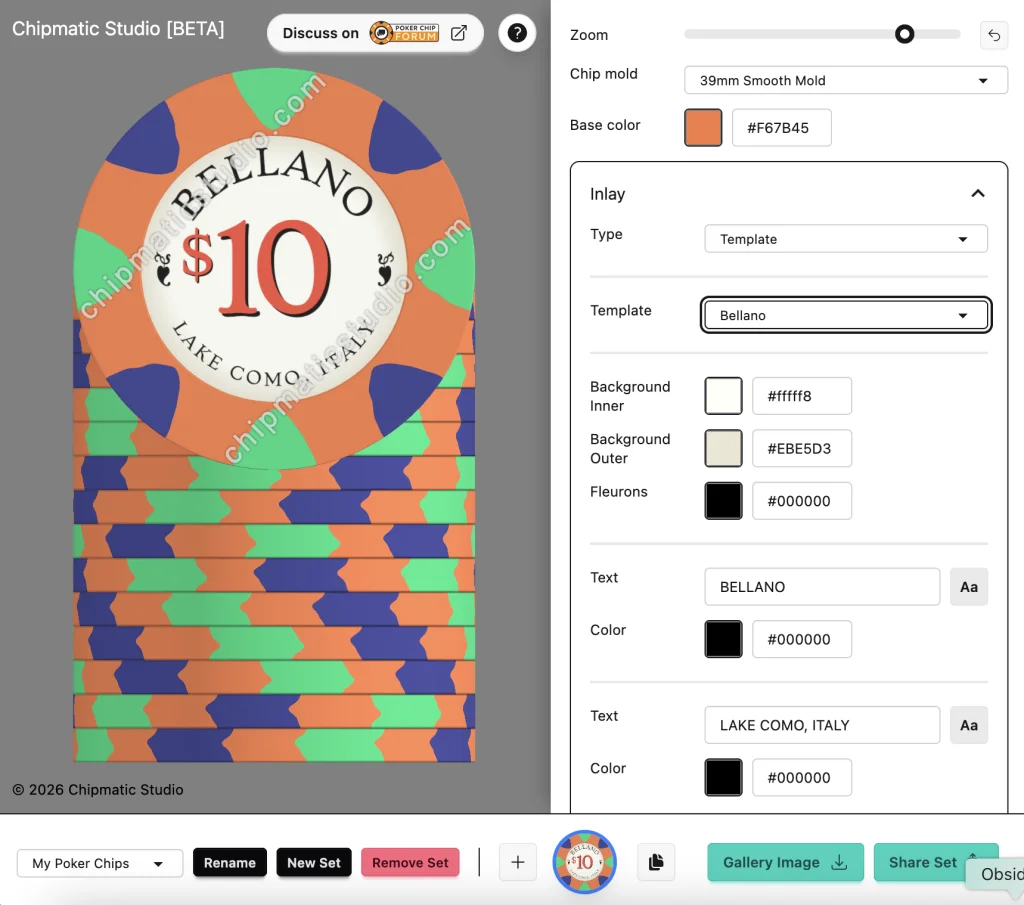
On the shores of Italy's majestic Lake Como, at the foot of the Alps, there is a town so tranquil, so beautiful, that it inspired a world famous casino. That town is of course named Be... Bell... -- no not that one -- Bellano!

Just realized something. Is there a way to add into chipmatic the option to cut and paste chips from one file to another without having to make the same chip(s) over again in the new file?QuietMaple updated Chipmatic Studio (a poker chip design tool) with a new update entry:
Added a new Inlay Template -- "Bellano"
Read the rest of this update entry...
This is probably the next thing I'm going to add!Just realized something. Is there a way to add into chipmatic the option to cut and paste chips from one file to another without having to make the same chip(s) over again in the new file?


sorry if this is a dumb question, but if I’m looking at a chip with a slightly larger label…does that matter? Like the smooth hybrid etc?
@QuietMaple Great stuff!!!
Anyway to do Side A/B inlays?
If I'm using .SVG inlays are they in the exports that go to @justincarothers
Thanks.
I've done Side A/B with Tina before but unsure if Justin allows.A/B Inlays aren't currently possible within Chipmatic, but if there's interest from folks I can certainly add it! (assuming Tina can handle that, which I would confirm with Justin before implementing).
And yes, if you upload an svg inlay to Chipmatic, that will be included in the export that goes to Justin.

A/B Inlays aren't currently possible within Chipmatic, but if there's interest from folks I can certainly add it! (assuming Tina can handle that, which I would confirm with Justin before implementing).
And yes, if you upload an svg inlay to Chipmatic, that will be included in the export that goes to Justin.
Yes, we can two sided inlays.I've done Side A/B with Tina before but unsure if Justin allows.
I was actually considering a two sided chip for my next orderA/B Inlays aren't currently possible within Chipmatic, but if there's interest from folks I can certainly add it! (assuming Tina can handle that, which I would confirm with Justin before implementing).
And yes, if you upload an svg inlay to Chipmatic, that will be included in the export that goes to Justin.

I sent Justin Side A links and Side B links. An easy workaround that mostly conforms to the efficient Chipmatic process.I was actually considering a two sided chip for my next order
I'm having fun with the inlay templates, so I've added another one that y'all might recognize. Welcome to the "Arion."
As with all of the other inlay templates, all of the text is customizable (including the "A" in the background).
View attachment 1645427
Two big updates for inlay templates:
- Added a font picker. You can now choose your fonts on the inlay templates. I added about ~30 that I thought covered a wide range of styles, but if you're looking for a particular font that's not here, let me know, and I can likely add it so long as it's licensed for commercial use. Google fonts is the easiest source for me to work with.
- Added a "Vintage" style inlay template that hearkens back to various classics like Bicycle Club, El...
That's my hope! We'll see what happensThey will be simple designs, but that's all some people need/want.

This release includes a couple different conveniences that should make building chips rapidly a lot easier. You can now:
View attachment 1650765
- Toggle the visibility of Spot Patterns to quickly compare variations
- Duplicate Spot Patterns on a chip
- Copy Spot Patterns from one chip to another
QuietMaple updated Chipmatic Studio (a poker chip design tool) with a new update entry:
New Spot Pattern convenience features
Read the rest of this update entry...

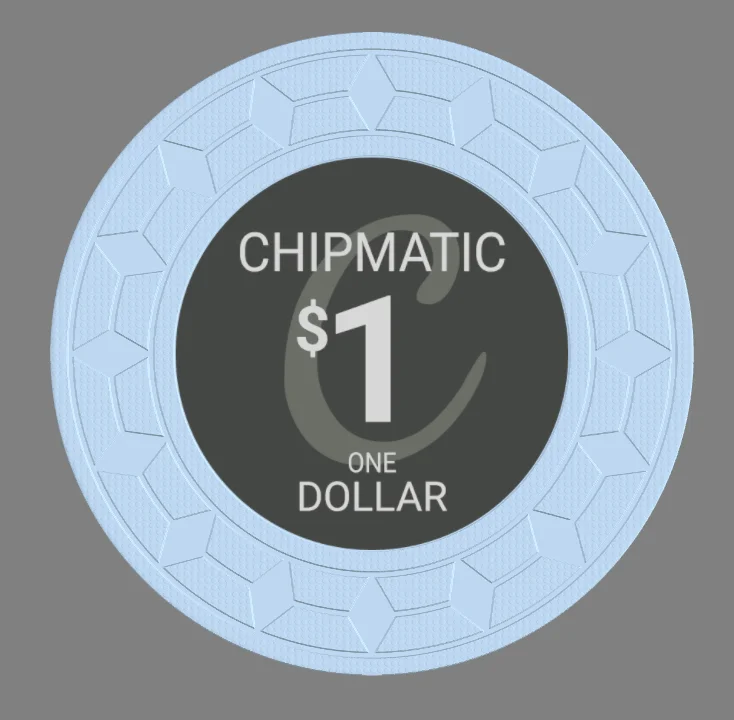
(This one only exists in the 39mm variety)
View attachment 1651593
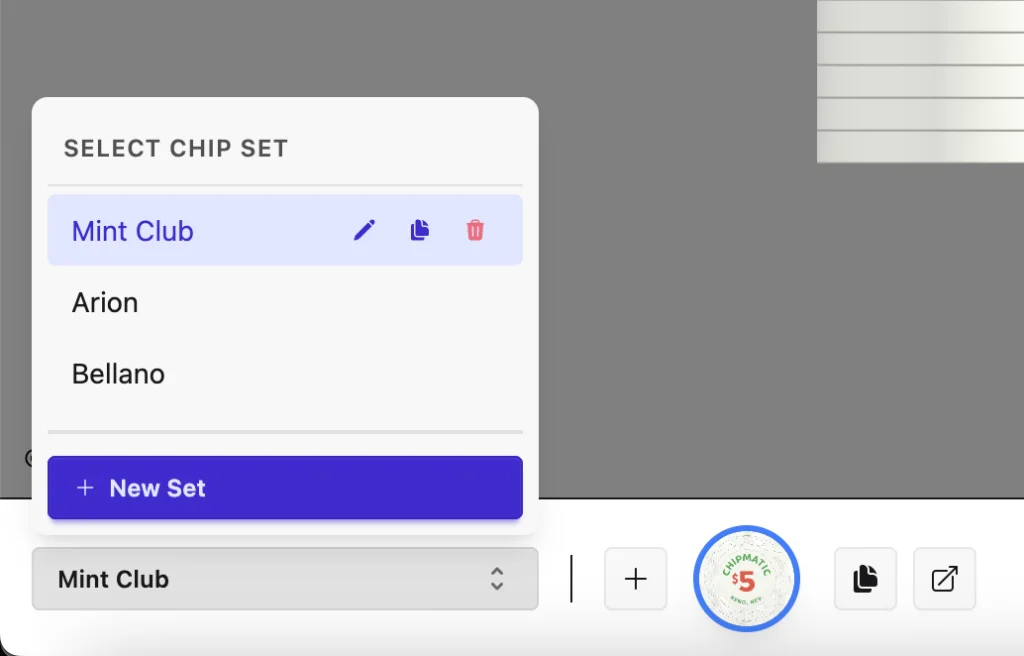
I've modified the interface for set management a bit and added a couple new useful features:
And I've also added the Sun mold!
- There is now a "Duplicate Set" button to quickly copy a whole set
- There is now a "Copy to..." button for chips, which allows making a copy of a chip from one set into another
- Re-arranged existing set management controls to make more room on the bottom toolbar
Thank you for your hard work!QuietMaple updated Chipmatic Studio (a poker chip design tool) with a new update entry:
Added Set Management convenience features + Sun Mold
Read the rest of this update entry...


