
-
PCF is an eBay Partner. If you make a purchase through one of our links, we may earn a commission at no extra cost to you. Thank you for your support!
You are using an out of date browser. It may not display this or other websites correctly.
You should upgrade or use an alternative browser.
You should upgrade or use an alternative browser.

Featured GameNight 0.1974
No permission to download
- Author Isorg
- Creation date
- Featured
New Feature: Event Polls
You can now poll your guests! Planning food for poker night? Picking a start time? Ask everyone at once and let the votes decide.
For hosts
Open any event you manage and hit the new Polls button. Give your poll a title, add as many questions as you like (each with its own set of answer choices), and send. It goes out to every guest who has RSVP'd Yes or Maybe, using each person's preferred contact method.Your Polls page shows live results as votes come in: vote counts and percentages for every option, plus who has responded and who you're still waiting on. One important thing by design: you can see who voted, but never what they picked. Answers are anonymous, always.When you've got your answer, close the poll to lock it in. You can also reopen it, delete it, or hit "Send to new respondents" to catch people who RSVP'd Yes after the poll first went out.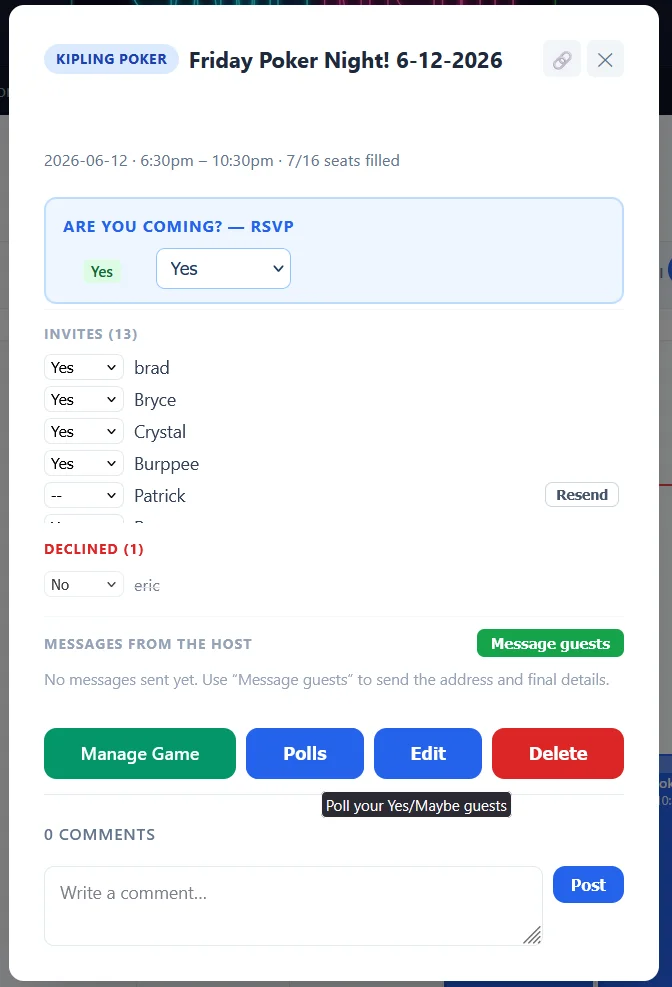
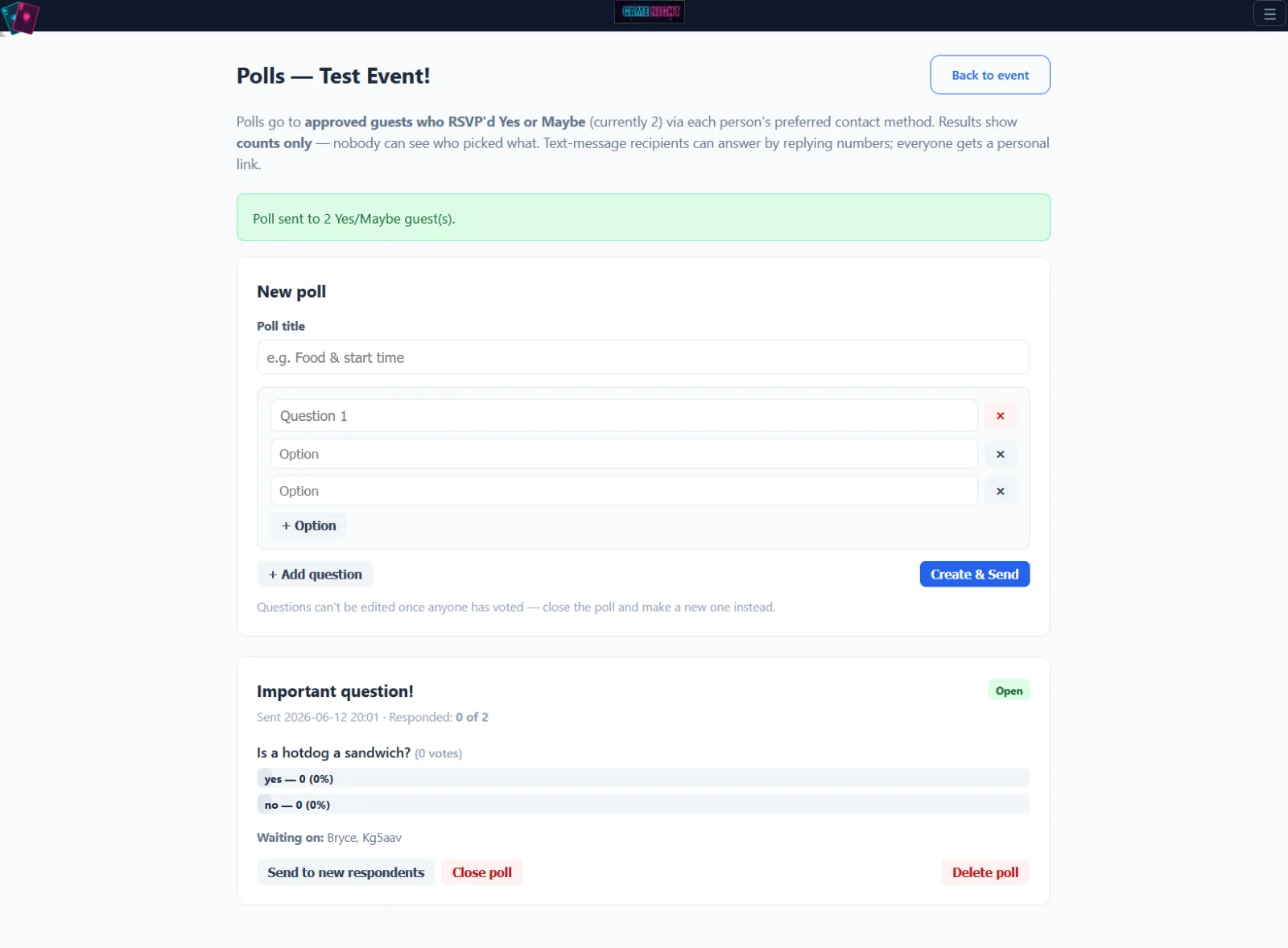
For guests
No app, no login, no account needed:
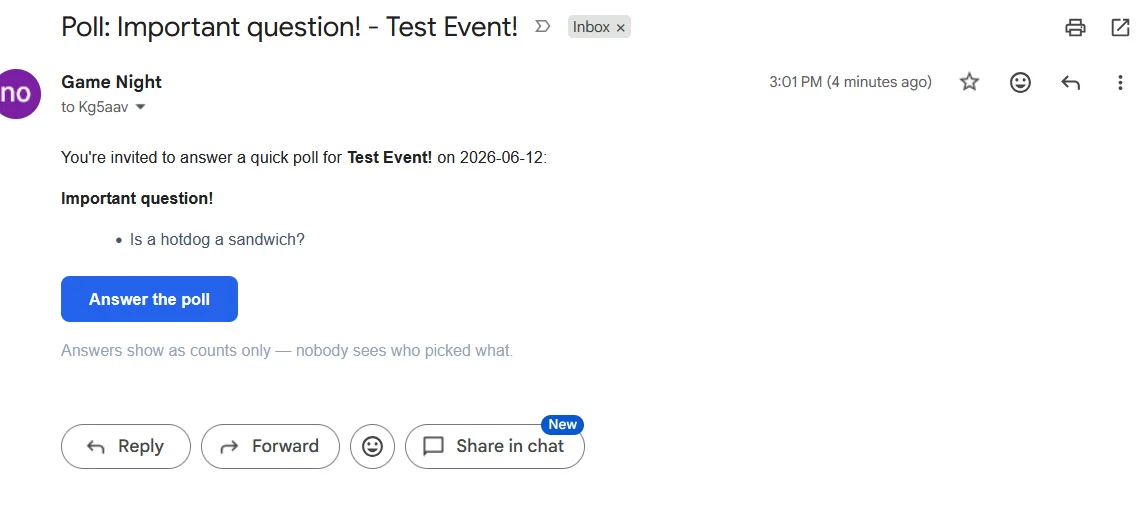
- Email folks get a button that opens the poll in their browser. Tap your answers, done.
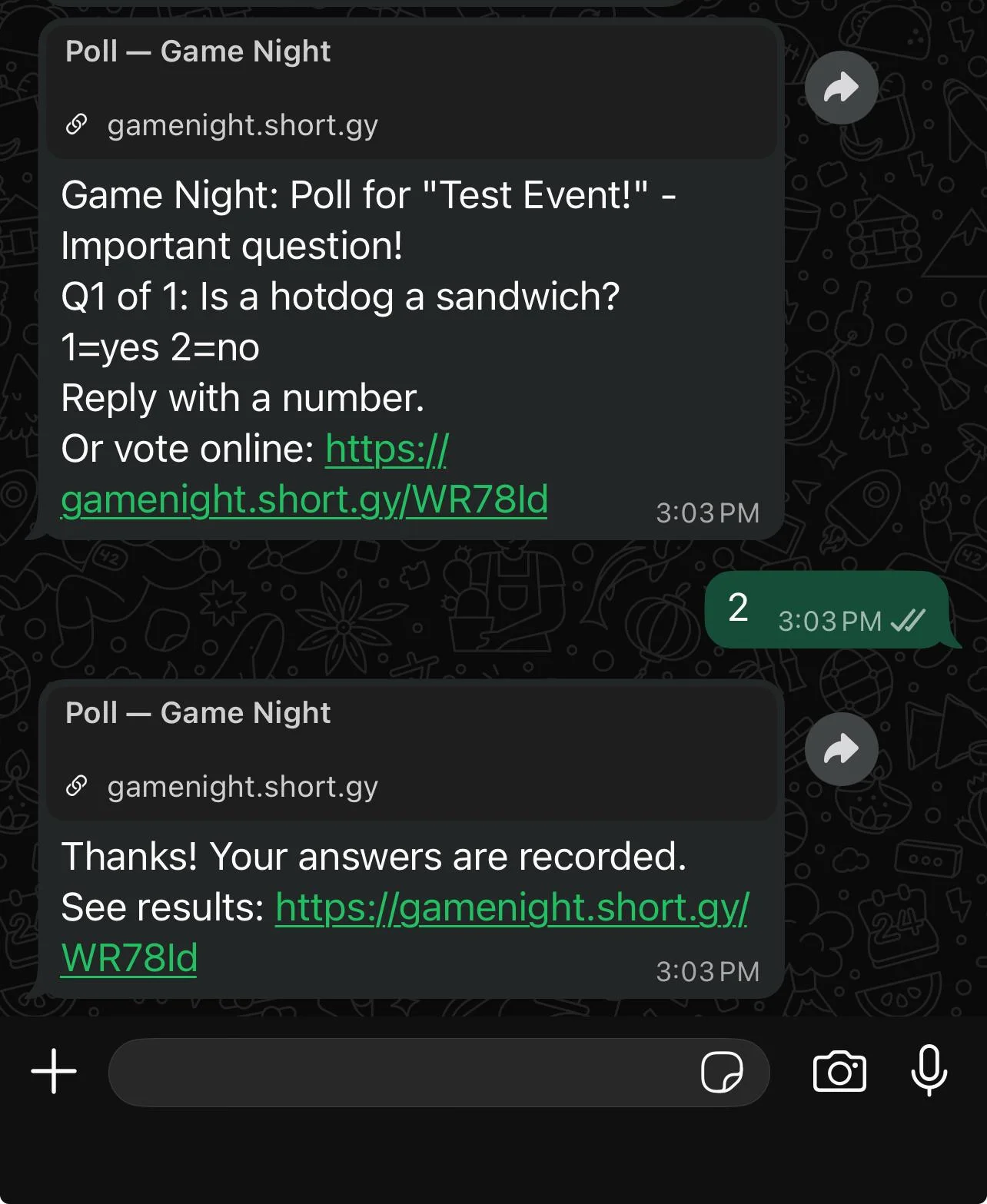
- Text and WhatsApp folks can answer right from the message thread. The poll texts you question 1 with numbered choices, you reply with a number, and it walks you through the rest. A link is always included too if you'd rather tap than type.
After you vote, you'll see the running totals (with a checkmark on your own picks). Changed your mind? Use your link to update your answers any time until the host closes the poll.Your individual answers are never shown to anyone, including the host. Only the totals.
or... sms/whatsapp
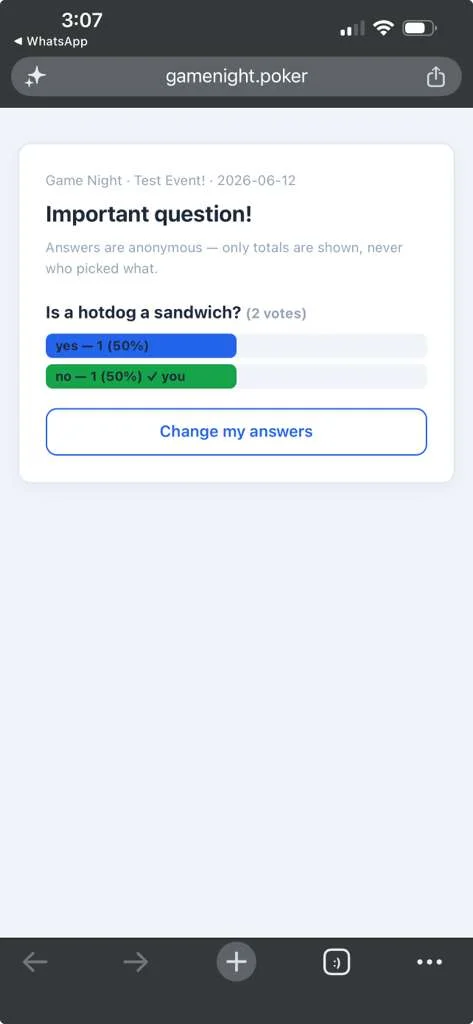
Hey everyone! Shipped a batch of updates over the last few days. These updates cover both the front end and back end of GameNight
Front end changes.
The event editor is now a full page
Creating or editing an event no longer happens in a popup. Clicking "+ Add Event", the "+" on a calendar day, an edit pencil, or Edit from an event's details now opens a dedicated editor page, and saving drops you right back on the month or week you came from. This is a much better experience on phones and tablets (no more cramped popup with nested scrolling), and you can bookmark or share a direct link to edit an event. Everything works the way it did before: the invite picker, poker settings, reminders, and drag-to-reorder seating priority all came along.Bonus fix that came out of this work: "Remove this occurrence" on recurring events was quietly broken and would error out. It now works, and guests who had RSVP'd yes to that date actually get a cancellation notice.
Helpful hints around the site (front and back end changes)
You may start seeing small dark chat bubbles pop up on some screens with quick tips about what's on the page. A few things to know:
- Step through multi-tip tours with the Back and Next buttons. Hitting Next on the last tip closes the tour for that visit.
- The X dismisses a screen's tips for good. If you ever want them back, there's a "Show all help tips again" button on your Settings page.
- If we add a new tip to a screen later, you'll see just that new tip, even if you dismissed the older ones.
- Tips can even point at things inside popups, appearing right when the popup opens.
Tournament timer improvements
- If you're hosting and have a poker session running, the player management panel now gives a little bounce from the right edge shortly after the timer loads, so you know it's there. Open it any time with the Players button or by swiping from the right edge.
- iPad users: the white bars at the top and bottom of the timer are gone. Themes with gradient or photo backgrounds now fill the whole screen properly.
- Fixed: loading a blind structure preset from the levels panel was failing with an "Unknown preset" error. It loads correctly now.
Backend Changes
All of these changes can be found in the GitHub repo for those who want to self host.
New admin tooling: Help Tips portal
Site Settings has a new Help Tips tab where admins author the in-app hint bubbles per screen. It supports an optional CSS anchor selector per tip (with a built-in explainer on how to find selectors via Inspect), a step index that groups multiple bubbles into one tour step, an "Always show" pin that survives user dismissals, a live "Show example" preview that renders the real bubble component in-page, and the target screen's URL for quick reference. Tip CRUD goes through a new admin_help_dl.php JSON endpoint.
Schema additions
Three new tables: help_bubbles (the tips), user_help_bubble_dismissed (per-bubble dismissal tracking), and the now-superseded user_help_dismissed (screen-level, kept but no longer read; a one-shot migration converted its rows to per-bubble entries). New columns bubble_index and always_show on help_bubbles. All via the standard try/catch ALTER pattern, auto-applied on first request after deploy.
Admin UI consolidation
The Site Settings tab bar was extracted into a shared partial (_admin_tabs.php) and now persists across Site Settings, API Keys, and Help Tips with the active tab highlighted. All three pages share the same wrapper and the tab styles moved to the global stylesheet. The first tab was renamed "Site Settings" and the redundant page heading dropped.The big one: event-save consolidation and calendar diet
The event add/edit logic now exists in exactly one place, _event_save.php, used by every save path. This carries the delicate RSVP and token preservation rules (the v0.1959-0.1961 bug streak) in a single implementation. In the process:
- calendar.php shrank by roughly 1,350 lines across the two phases (the editor modal HTML, ~750 lines of editor JS, and the inline save handler all left the file).
- calendar_dl.php turned out to contain an entire dead copy of the calendar page, including an add/edit save path nothing posts to. That path still had the RSVP-clobber bug fixed in v0.1960 and referenced valid_from and recurrence columns that have never existed in the schema, proof it could never have run. It was deleted rather than consolidated (~310 lines).
- get_occurrence_invitees() and get_next_occurrence() moved to db.php, fixing the latent fatal that made "remove occurrence" 500 and silently swallow cancellation notifications since the feature shipped.
- Discovery worth remembering: recurrence is vestigial. No UI creates recurring events and the events table has no recurrence columns; the rendering code tolerates their absence.
Bug-class note from the timer fix
The "Unknown preset" bug was a JavaScript name collision: the theme-gallery script declared loadPreset/deletePreset, silently shadowing the blind-structure functions of the same names in the same inline script (later declaration wins). The gallery pair is renamed with a comment warning future edits away from those names. Worth keeping in mind for timer.php generally, since it's one giant inline script.
GameNight update: what's new
New: run your events by text message.
If you host or co-manage an event, you can now manage it straight from your phone by texting the GameNight number. Text ADMIN to get a numbered list of your events plus the command list. From there:
The "send" actions (message, remind, cancel) ask you to reply CONFIRM first, so a fat-fingered text can't blast everyone by accident. (Regular guests keep texting YES/NO/MAYBE as always; nothing changes for them.)
- WHO 1 / COUNT 1: see who's coming and a quick headcount
- PENDING: see anyone waiting on approval
- APPROVE 1 Jordan: approve a guest
- MSG 1 Bring snacks!: message everyone on the event
- REMIND 1: send a reminder
- CANCEL 1: cancel the event and notify everyone
Fixes
- Your RSVP no longer gets wiped when a host edits the event. Previously, if you replied after a host had the editor open, saving could clear your answer. Your YES/NO/MAYBE now sticks.
- Phone-only contacts show up in the invite picker again. If you saved someone with just a phone number and no email, they were silently missing from the list when inviting. Fixed.
- The "already invited" checkmark now shows for phone/email-only guests in the event editor, so you can tell at a glance who's already on the list.
- Deleting an event that had a sent message no longer errors out.
As always, let me know if anything looks off.
Some Tweaks over the weekend.
Hosting can now send messages to the RSVP invitees. You can target Yes, Yes & Maby, All. You can send a targeted message, with a URL link back to the message give more information about the Event things like directions, what to bring... a picture of the host in a embarrassing position....
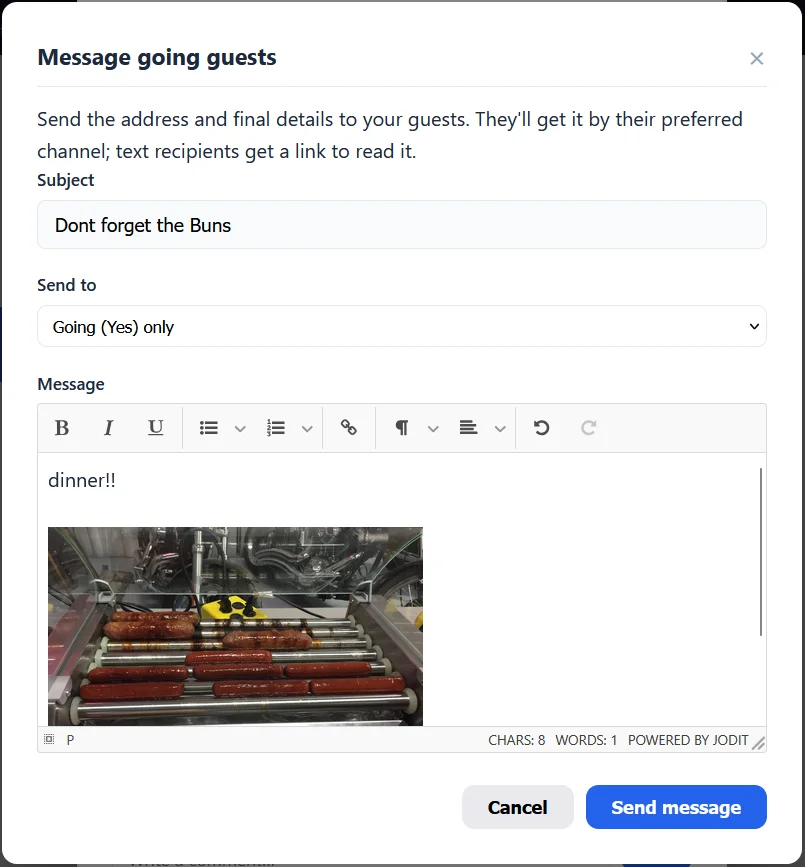
I gave some polish to the MFA, I use the app 1Password for my personal MFA, you can use what ever MFA app of your choice, even SMS. I made some changes to make the MFA process work better with Apps like this. Also users will get a notification if they want to use MFA or not, its completely optional.

@SixSeven found a bug where answered RSVP's were not sending notification to the organizers and that was fixed.

Version 0.1941 has added MFA option for user accounts. You can use an Authenticator App, or SMS